Paste the PNR.
Send the quote.

ECTAirstream reads the flights, hotels and tours you already have on screen and turns them into branded quotes, tax invoices and itineraries. Then it tracks every deposit, deadline and BPAY payment until the booking is paid.

Made for Australian travel agencies, from a single shopfront to a group of branches.

SabreQFQZZD

Reads what you copy from

  • Sabre
  • Amadeus
  • NDC offers
  • Jetstar Agent Portal
  • Intrepid
  • Stuba
  • Ratehawk
  • Viva Holidays
  • ReadyRooms
  • Infinity Holidays
  • POLAR Online
  • CruisingPower
  • CommBiz BPAY files

One booking, start to finish

Every booking moves through the same four stages. ECTAirstream does the paperwork at each one and shows you what's waiting.

  1. 1

    Quote

    Paste flights, hotels and tours, set your prices and email a branded quote straight from the booking.

  2. 2

    Confirm

    Take the deposit. Supplier payment dates and balance deadlines go on the dashboard so none are missed.

  3. 3

    Invoice

    Issue a tax invoice with GST, your bank details and a BPAY reference, plus an itinerary for the traveller.

  4. 4

    Paid

    Upload the BPAY file from CommBiz. Payments are matched, receipted and emailed to the customer for you.

Build the quote from what's already on your screen

No more retyping flight times and hotel names. Paste from the GDS or a supplier site and each line becomes a priced item on the booking.

  • Flights from Sabre and Amadeus, including NDC, and from the Jetstar Agent Portal
  • Hotels from Stuba, Ratehawk, Viva Holidays, ReadyRooms and Infinity Holidays, and tours from Intrepid
  • Fourteen kinds of item, from cruises and rail passes to insurance and visas
  • Quotes, tax invoices, itineraries, statements and receipts in your agency's logo and colours
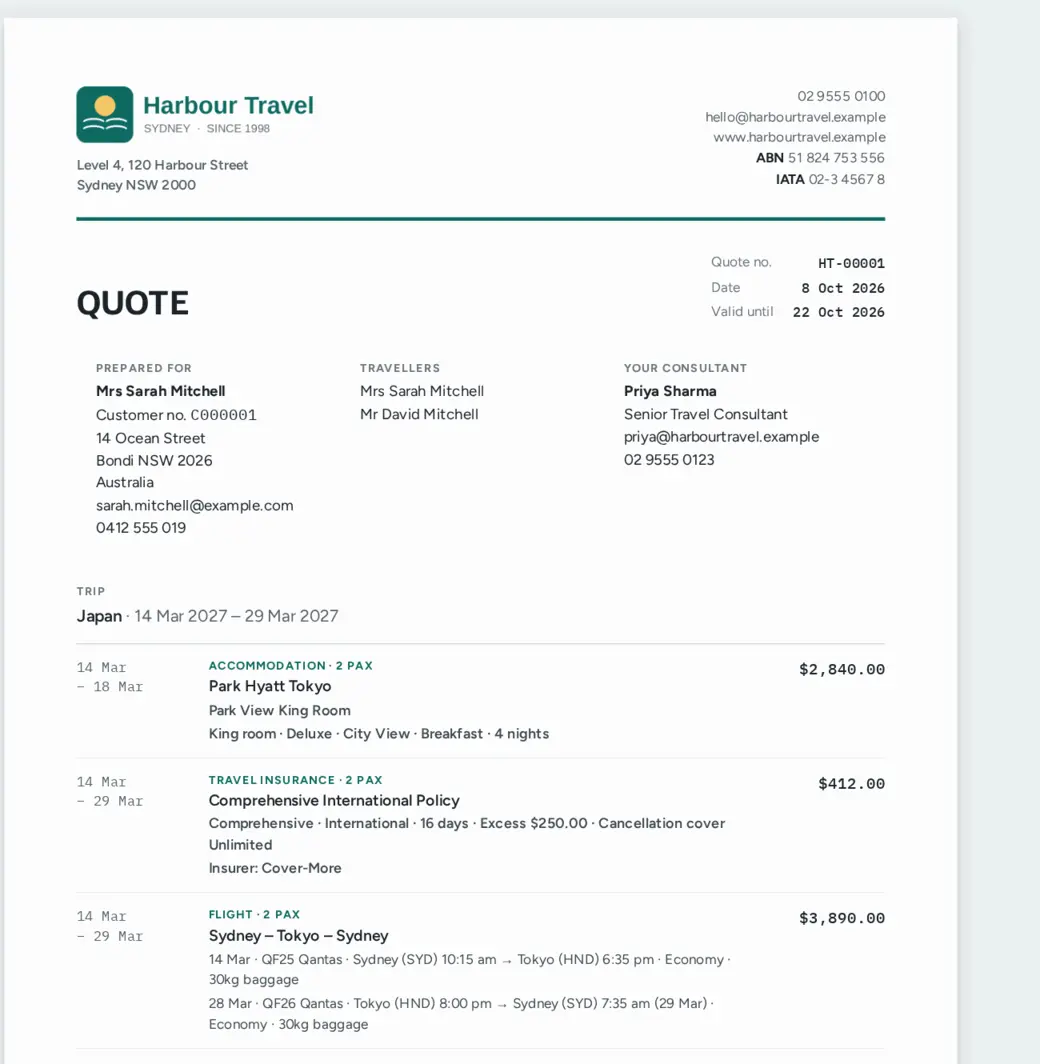
A quote for a Japan trip with the agency logo, traveller details and priced items for hotel, insurance and flights

Get paid without chasing

Every invoice carries a BPAY customer reference number for that booking. When the money arrives, upload your CommBiz file and ECTAirstream does the rest.

  • Payments are matched to bookings by reference number and recorded with the settlement date
  • Each payment gets a receipt, emailed to the customer with a copy to their consultant
  • Anything that can't be matched is listed with the reason, so you know exactly what to check
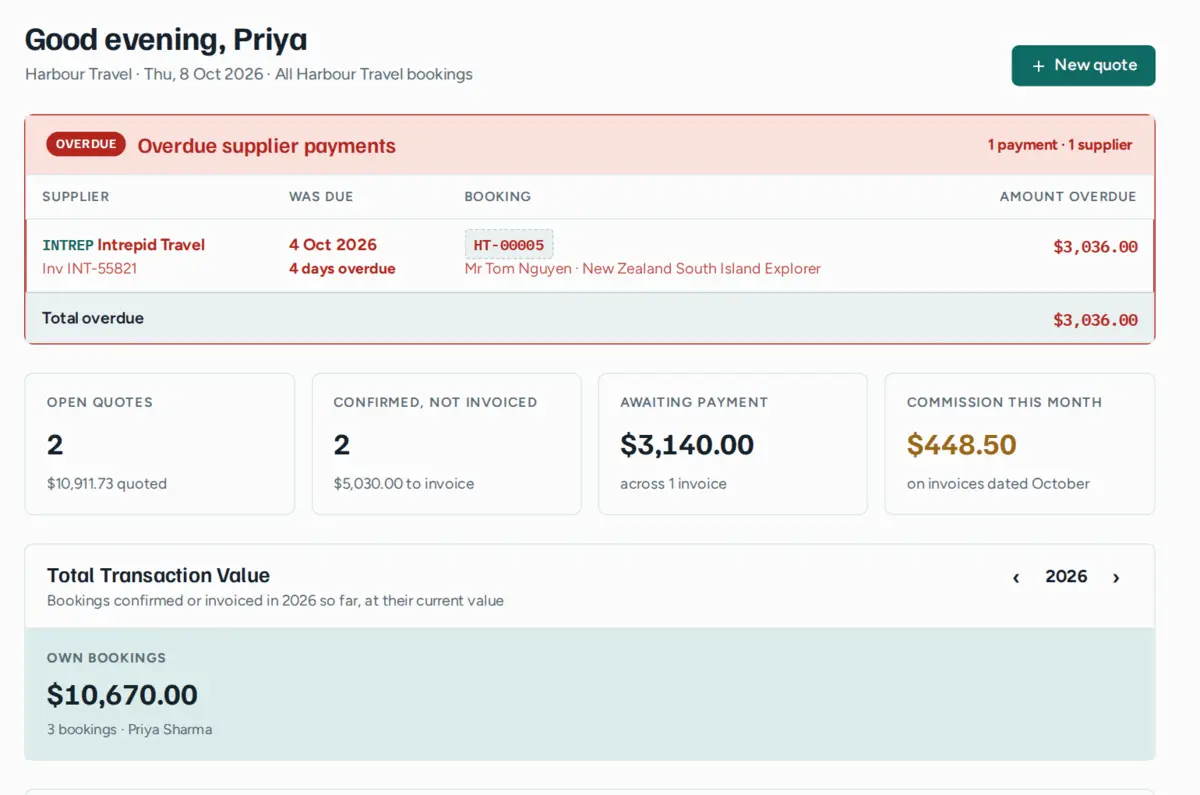
  • Deposit and balance deadlines, and overdue supplier payments, are flagged on the dashboard

Give travellers their trip on their phone

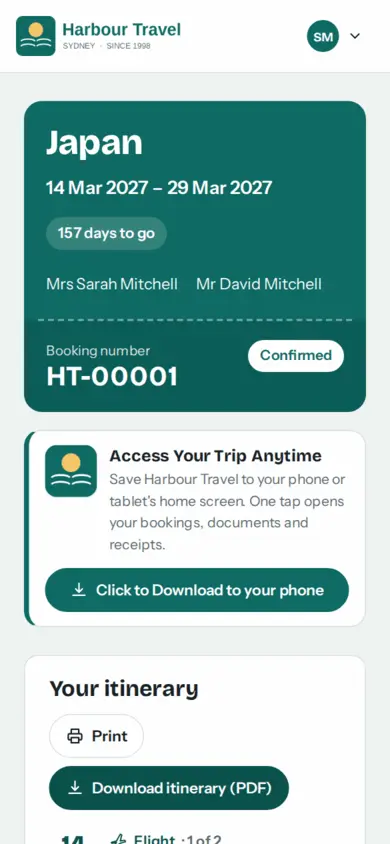
Each customer can sign in to your own branded portal to see their bookings, download documents and check what they've paid. It saves to their home screen like an app.

  • Itineraries, invoices and receipts, always the latest version
  • Customer profiles with passports read from a photo, frequent flyer numbers, dependants and linked travellers
  • Names, passports and frequent flyer numbers turned into GDS entries ready to paste
The customer portal on a phone showing a Japan trip, 157 days to go, with booking number and confirmed status

Know how the agency is going

The dashboard opens on what needs doing today and what the month looks like, for each consultant and for the whole agency.

  • Open quotes, bookings to invoice, money owing and commission at a glance
  • Total transaction value by consultant, agency or across every branch
  • 18 reports, from invoiced sales to room nights and traveller locations, downloadable as Excel, CSV or PDF with charts
The dashboard with an overdue supplier payment alert, counts of open quotes and bookings to invoice, money awaiting payment and commission for the month

Also included

Emails from the booking
Send quotes, invoices and itineraries as PDFs from inside the booking, with your own attachments.
Supplier payments
Record what you owe each supplier and when, and send remittance advice when you pay.
Several agencies or branches
Each with its own logo, colours, bank details and numbering, with a head office view across all of them.
The right access for each person
Consultants see their own work, agency admins run their agency and head office sees everything. Add staff with a welcome email, and make leavers inactive without losing their customers.
Full online and downloadable manuals
A step-by-step manual for consultants, agency admins and head office, with screenshots. Read it online from inside ECTAirstream, or download the PDF to print or keep.
Nothing to install
Runs in the browser on any computer, tablet or phone. Sign in and start quoting.

See it with your own bookings

Book a demo and we'll walk you through a booking from quote to paid, using the GDS and suppliers your agency already works with. Or send us a question and we'll get back to you.

  • Online, at a time that suits you
  • Bring a real PNR or supplier confirmation to try
  • No obligation, and no sales script
What would you like to do?

We'll only use your details to reply. See our privacy policy.